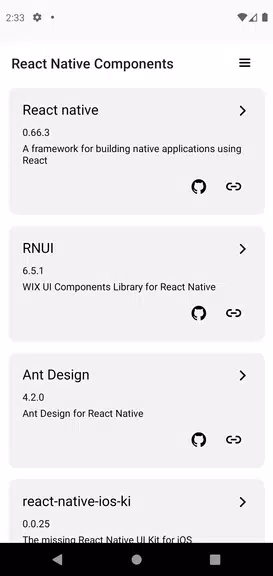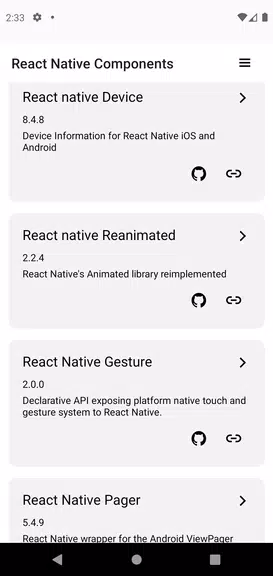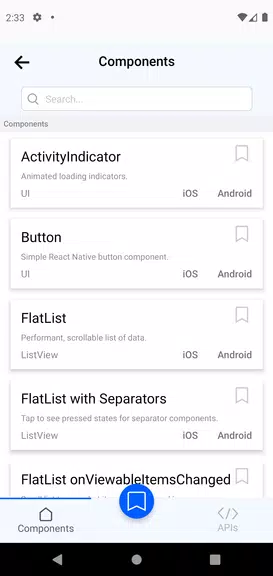

Discover the world of Expo and React Native UI components with our innovative Explorer app, Expo & React Native Components. Eliminate guesswork during integration through instant previews that let you see exactly how each component will appear and behave in your project. Explore before you integrate, saving time and reducing rework by fully grasping each component's nuances and flexibility. Dive deep into components rapidly with our seamless interface, focusing on creating excellent apps without the burden of manual adjustments.
What Expo & React Native Components Offers:
1. Instant UI Component Previews
Visualize UI components in real-time to remove uncertainty during integration. This feature works like a try-before-you-buy experience, letting you preview components' appearance and functionality within your project to ensure they match your design requirements.
2. Thorough Component Examination
Explore and understand every detail of components prior to implementation. This helps developers avoid issues by offering clear insights into each component's features and adaptability, leading to smarter choices and less rework.
3. Quick and Effortless Navigation
Built for speed, the app enables fast component discovery, preserving valuable development hours. The intuitive design lets you access detailed component information without manual configuration, keeping your focus on building top-tier applications.
4. Realistic Demonstration Environment
To accurately show how components interact with device features, the app needs certain permissions. This guarantees that users can test components in practical situations, improving their grasp of effective implementation.
5. Complete Component Showcases
The app displays demos for all React Native components and APIs, providing comprehensive knowledge of their functionality. This is essential for developers aiming to maximize React Native's potential in their work.
6. Ongoing Updates and Enhancements
The app receives frequent updates to include the newest React Native versions and related libraries. This dedication to freshness ensures users always have the latest features and improvements, elevating their development process.
User Tips:
* Utilize the search tool to rapidly locate specific components. This streamlines your workflow and directs attention to your project's unique needs.
* Make the most of the app's detailed component insights to comprehend how each element functions and how it can be tailored to your project's specifications.
* Test various component combinations to observe their interactions and develop a unified app design.
Final Thoughts:
Begin a smooth exploration experience with Expo & React Native Components. Instant previews, in-depth information, and an easy-to-use interface help developers quickly identify ideal components for their projects. Leave behind uncertain integrations and lengthy customizations – download the app today and build outstanding applications with assurance.